RapidRAW: The Free RAW Editor Redefining Photography and Video Workflows
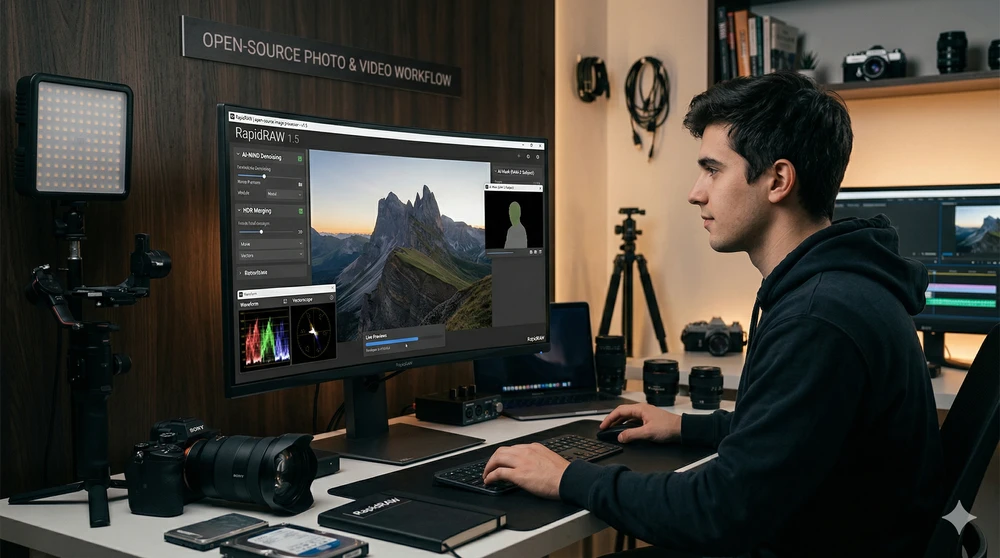
For photographers, videographers, and content creators, editing software is the backbone of any workflow. Yet the industry's dominant model keeps pushing creators toward costly monthly subscriptions that add up fast. If you're looking to optimize your budget — putting money back into lenses, lighting, or new gear — without giving up professional-grade tools, open-source software has matured to a point where it no longer has anything to envy from the big players.
Today we're talking about RapidRAW: a non-destructive, GPU-accelerated RAW image editor that's gaining traction at a remarkable pace. Developed as a personal challenge by Timon Käch — a programmer who was just 18 years old at the time — this app weighs under 20 MB yet competes directly with suites that cost hundreds of dollars per year.
Why RapidRAW Is More Than Just "Saving Money"
Choosing RapidRAW isn't just a financial decision; it's a philosophical one about how you want to work. Being open-source (under the AGPL-3.0 license), it offers advantages no paid subscription can match:
- No licenses or lock-in: The software and all future updates are completely free.
- Community-driven development: Instead of waiting for a corporate roadmap, the developer releases updates nearly every week based on direct user feedback.
- Local AI processing: Unlike many platforms that charge credits for cloud-based AI, RapidRAW's AI runs entirely on your own hardware — protecting your privacy and eliminating hidden costs.
Latest Versions: Evolution at Full Speed
What makes RapidRAW especially relevant today are the technical improvements packed into its recent releases (versions 1.4 and 1.5). The software has graduated from a promising tool to a genuinely professional-grade alternative.
1. Rendering Engine and Real-Time Fluidity
The rendering engine was completely rewritten to deliver Live Previews: every adjustment appears on screen the instant you move a slider, with no lag. This is paired with a smart caching system (LRU Cache) that makes switching between images nearly instantaneous, and a preview engine that maintains pixel-perfect sharpness at any zoom level.
2. AI-Powered Noise Reduction and RAW Processing Improvements
The latest version integrates an AI-driven noise reduction algorithm (NIND Denoising) that removes noise while preserving fine image detail — far surpassing traditional luminance-based methods. The RAW processing pipeline was also significantly improved for color noise handling and sharpness. This is especially great news for Fuji X-Trans sensor users, whose unique mosaic pattern has always been a challenge for third-party software.
3. Professional-Grade Built-in Tools
The creative toolset has taken a major leap forward. You can now:
- HDR Merge: Combine multiple exposures (bracketing) into a single high dynamic range file directly within the app.
- Film Negative Conversion: Analyzes and converts analog film scans to positive color with a single click.
- Perspective Correction: Geometry transformation tools with dynamic guides to fix distortion and converging lines.
- Smart Auto Culling: Automatically detects blurry or duplicate photos within a session, saving you hours of manual sorting.
4. Advanced AI-Powered Masking
The masking system was redesigned from the ground up. It now works in layers with drag-and-drop reordering and individual opacity per mask. RapidRAW implements SAM-2 models for one-click subject selection, and adds parametric masks that automatically isolate specific color or luminance ranges — a feature that until recently was exclusive to premium software.
The Perfect Bridge Between Photography and Video
If video editing is part of your workflow, RapidRAW has features built specifically for that.
The software includes an Image Analytics Panel with classic professional color grading tools: RGB and Luma Waveforms, Vectorscope, and RGB Parade — all in real time. No need to open your NLE just to check exposure levels on a still.
Additionally, RapidRAW exports LUTs in .cube format. The workflow is seamless: grab a representative frame from your video project, grade it in RapidRAW using the full power of its photographic tools, export that look as a LUT, and apply it directly in Premiere Pro, DaVinci Resolve, Final Cut Pro, or any software that supports .cube. No quality loss, no middlemen.
Generative AI Without Limits or Subscriptions
Perhaps RapidRAW's most ambitious feature is its AI-Connector: a middleware that links the editor to your own local ComfyUI server and Stable Diffusion models. If you have a dedicated GPU, this translates to near-unlimited generative capabilities:
- Object removal
- Image expansion (outpainting)
- Complex generative modifications
Everything runs on your own machine. No credits, no cloud, no usage limits. It also includes a customizable AI auto-tagging system (Custom AI Tagging) that organizes your library with keywords you define yourself.
Conclusion
RapidRAW has moved past the "interesting experiment" stage and become a real, mature alternative. Its lightweight footprint, rapid development pace, locally-run AI tools, seamless bridge to the video world, and complete freedom from monthly payments make it a must-download — both for enthusiasts who want more for less, and for professionals who value full control over their workflow.